
Independent shops
A price change shouldn't mean retyping every ticket.
Minutes, not hours. Fewer price errors.Prices, images and notes go straight from your spreadsheet onto finished tickets in your own InDesign template.
One row per ticket: headline, price, product code, terms and notes. CSV and JSON work too.
Pick your spreadsheet and image folder, then click Fill pages. Missing images are flagged.
Print the finished pages, or export named PDFs for your printer (Pro).
Whether you run one shop or print for many, fill every ticket from one spreadsheet.
A price change shouldn't mean retyping every ticket.
One designer, one template, hundreds of tickets that match every time.
Fill a client's price list into their template and export named PDFs for the printer.
Pro on 5 computers, so every store prints the same look.
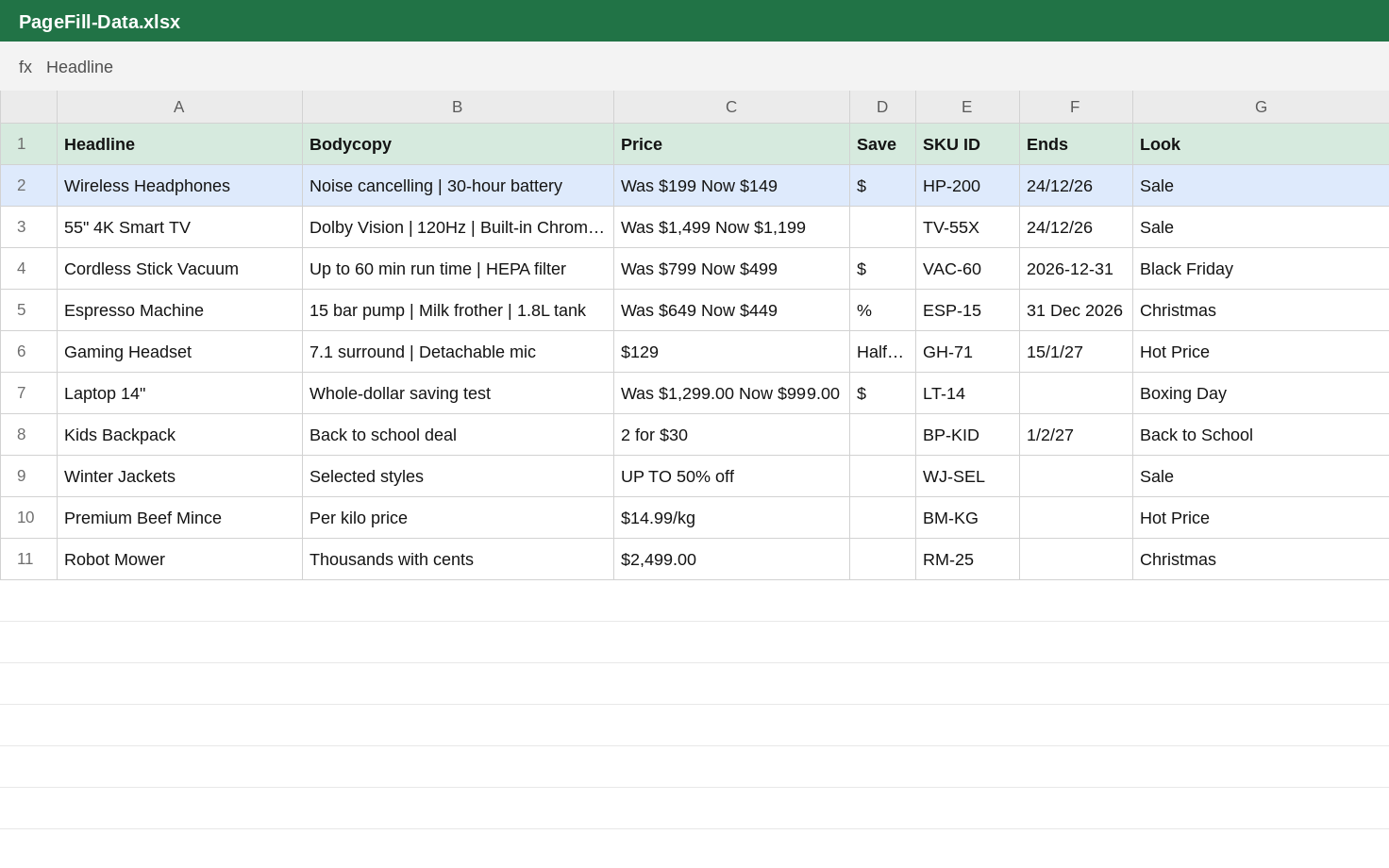
Excel, CSV or JSON. One row per ticket: headline, copy, price, image and terms.
Standard andPro
Raised cents, each, /kg, FROM and multi-buys, from prices typed the way you'd say them.
Standard andPro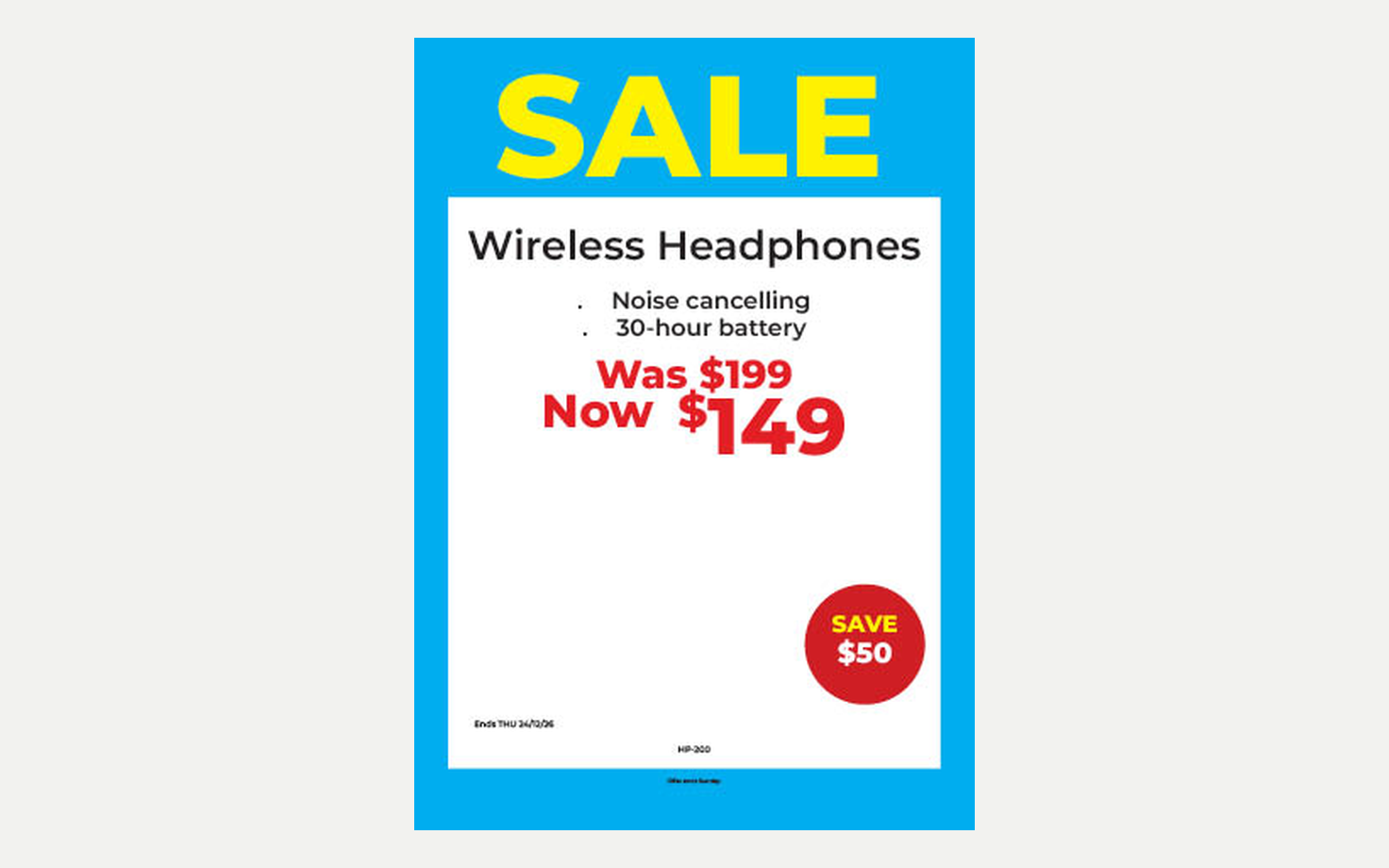 HP-200.png → placed
Drop photos in a folder. PageFill finds each one by its code and flags any that are missing.
Standard andProMissing images are flagged on the page, and the flags never print. Notes are highlighted.
Standard andPro
Was and Now in, SAVE $ or SAVE % out. The roundel hides itself when there's no saving.
ProSale, Clearance, Black Friday, Christmas, Singles' Day, Lunar New Year, Eid and more, mixed in one run. Standard has 4 looks.
ProUse the ready-made looks, or design your own ticket in InDesign with your fonts, colours and logo. Label the frames once and PageFill fills your design from the spreadsheet every time.
New and free
Type or paste your prices in your browser, then download the data file for PageFill. No spreadsheet skills needed, no account, nothing uploaded.
Every run gives you finished InDesign pages and a report of anything that needs a look. With Pro, PDFs are named and exported for the printer.
One PDF per page or one for the whole run, named after your document and each product, saved in a PDF folder next to your file.
See how many tickets were filled and exactly which rows need a look, before anything goes to print.
From a blank template to every look filled in, in Adobe InDesign.
Download free trial3 pages, every Pro feature, no card needed
Pro includes all 15. Standard includes Sale, Clearance, Everyday and New. Restyle any look by editing one colour swatch.


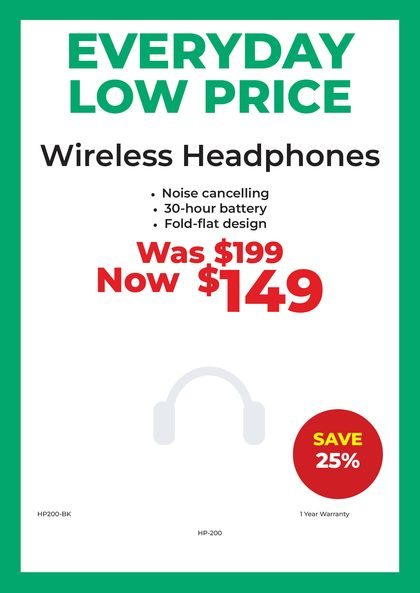
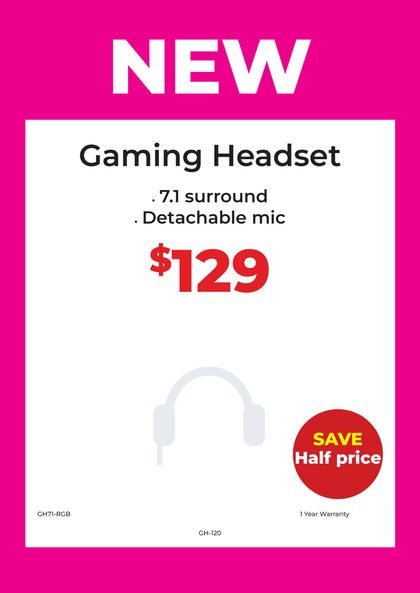
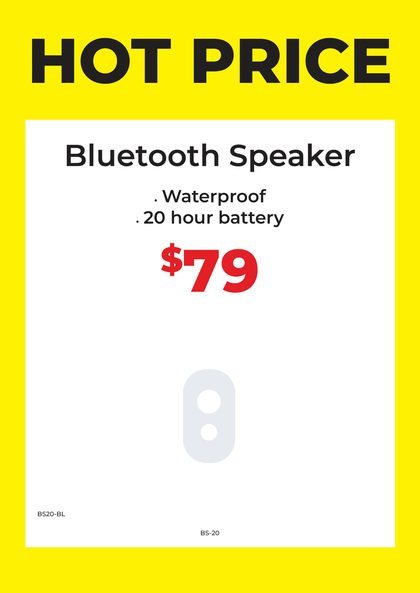

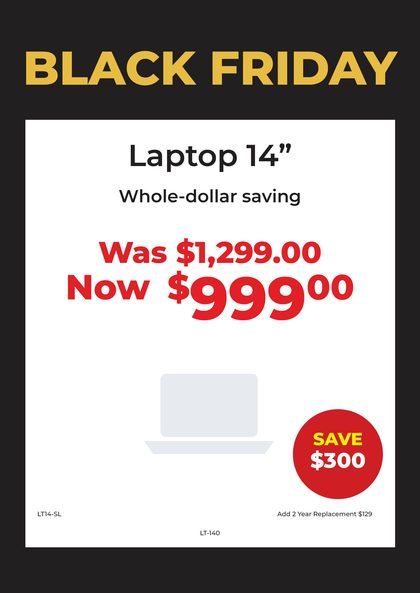
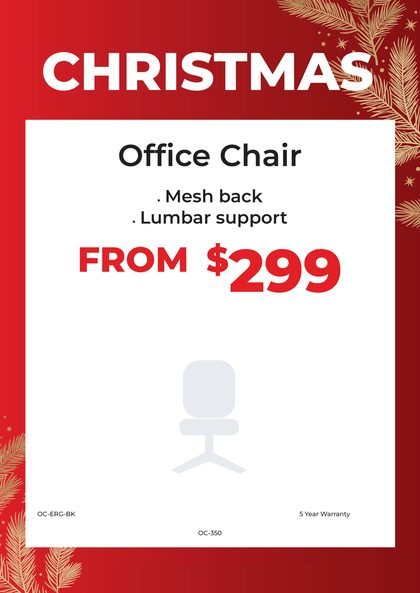
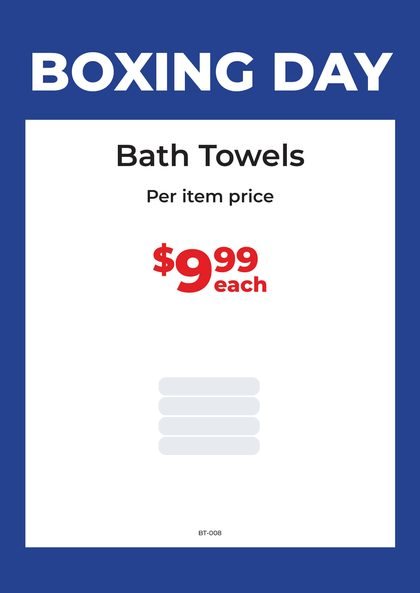
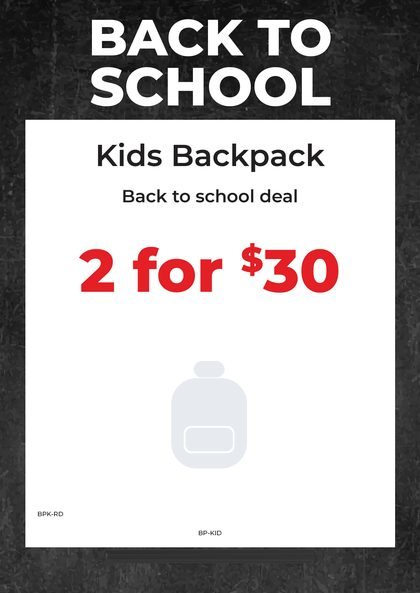
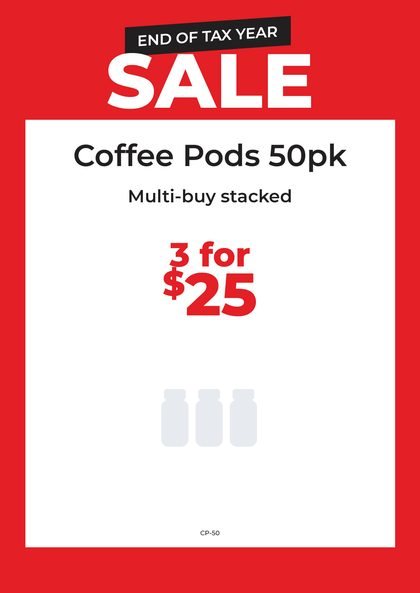


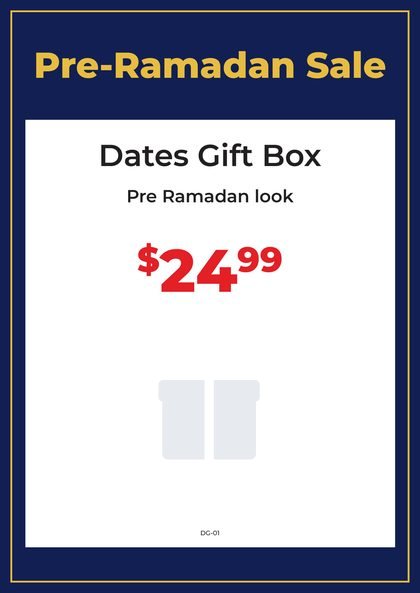
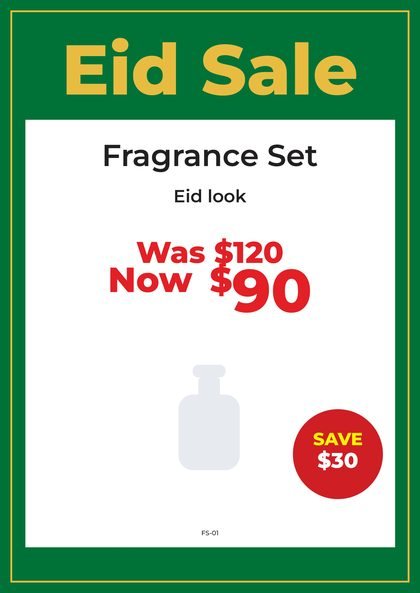
Hover to pause. Every look can be restyled by editing one colour swatch.
Ready-made templates in Simplified Chinese, Traditional Chinese and Arabic, fully translated or bilingual with English. PageFill formats the prices in each language.
Simplified and Traditional. Fully Chinese templates, or English with Chinese on the same ticket.
¥99currency raised199元起元 and 起 set small原价¥199 现价¥149stacked, saving worked out (Pro)Right to left with the letters joined. Fully Arabic templates, or English with Arabic. Western or Arabic-Indic digits.
3,999 ر.سcurrency raisedخصم 30%discount word raisedكان 4,999 ر.س الآن 3,999 ر.سstacked, saving worked out (Pro)English in the Headline and Bodycopy columns, the translation in Headline CN and Bodycopy CN, or Headline AR and Bodycopy AR. Price and the rest are shared.
99元prices shown in Chinese3,999 ر.سand in ArabicGBK · Big5 · Windows-1256older Excel files read tooUS$30 per language pack. Buy once, yours for as long as you subscribe. Works with Standard and Pro, and one pack covers all 5 computers in a Team 5-pack. Try the Chinese and Arabic templates free in the trial.
Uses Source Han Sans (Chinese) and Myriad Arabic, both free in Adobe Fonts with Creative Cloud.
Data Merge fills text. PageFill fills finished tickets.
| Job | Data Merge | PageFill |
|---|---|---|
| Raised cents, each, FROM, multi-buys | By hand | Automatic |
| Images found by product code | No | Yes |
| Empty slots hidden | No | Yes |
| Savings worked out from Was and Now | No | Yes (Pro) |
| PDFs named and exported | No | Yes (Pro) |
| Several tickets on one page (4-up) | Multiple Records grid, set up by hand | Automatic (Pro) |
| A different look for each product in one run | Not built in | Yes (Pro) |
| Text that is too long for its frame | Overset found after the merge | Shrink to fit (Pro) and a report |
| Badges shown only where you list them | Not built in | Yes (Pro) |
| Unit price and prices with or without GST | By hand | Automatic (Pro) |
| Accents and macrons from an Excel CSV | Often needs the file re-saved as UTF-16 | Save as CSV UTF-8 and go |
Stuck on a Data Merge problem right now? Read the fixes: multiple records greyed out, broken accents, missing images, overset text and empty frames.
Prices in US dollars. Tax is worked out at checkout. Run the free trial first to check PageFill works with your files.
For one designer making everyday tickets.
US$49 a year
Every look, savings and PDF export.
US$119 a year
For studios, print shops and franchise teams.
US$449 a year
Add Chinese or Arabic: US$30 per language pack, bought once and yours for as long as you subscribe. More about language packs
Renews each year until you cancel. Key emailed within 24 hours. If you don't renew, PageFill goes back to trial mode. Terms · Refund policy
Team 5-pack is Pro on 5 computers.
| Feature | Standard | Pro |
|---|---|---|
| Filling tickets | ||
| Fill from Excel, CSV or JSON | Included | Included |
| Headline, body copy, price, terms, SKU, model and warranty | Included | Included |
| Body copy as bullets | Included | Included |
| Images found by product code | 2 per ticket | Up to 4 per ticket |
| Prices | ||
| Raised cents, each, /kg, FROM and multi-buys | Included | Included |
| Price layouts | Clean layouts: Was/Now and Buy-get on two lines | Smart layouts: old price small on top, worked-out savings |
| Save roundel worked out ($ or %) | Not included | Included |
| Price Builder workbook | Not included | Included |
| Looks and layout | ||
| Looks included | 4: Sale, Clearance, Everyday, New | All 15 |
| A different look for each product | Not included | Included |
| Templates | A4 and Letter | A4, Letter and 4-up versions |
| Copy-only templates, for tickets with no images | Included | Included |
| 4-up pages (four tickets a page) | Not included | Included |
| Shrink text to fit | Not included | Included |
| Extras for pricing and labels | ||
| Unit price worked out from the pack size, such as $1.80 per 100g | Not included | Included |
| Prices with and without GST, VAT or tax, including exempt items | Not included | Included |
| Badges such as New, Clearance and Online only, shown only where you list them | Not included | Included |
| Checks and output | ||
| Missing images flagged | Included | Included |
| Report after every run | Included | Included |
| PDF export, named for the printer | Not included | Included |
| Language packs (US$30 each, optional) | ||
| Chinese pack: Simplified and Traditional, fully Chinese and bilingual | 8 templates | 16 templates |
| Arabic pack: fully Arabic and bilingual | 4 templates | 8 templates |
| Stacked Was/Now prices and savings in Chinese and Arabic | Not included | Included |
| Licence | ||
| Computers | 1 | 1 (5 with Team 5-pack) |
| Price | US$49 a year | US$119 a year |
Try it on your own filesFree trial, 3 pages, no card needed
Download the trial and run it on your own data and your own template. It fills 3 pages with every Pro feature.
Mac and Windows · Adobe InDesign 2020 or later · No card needed
Yes. PageFill is a script that runs inside Adobe InDesign, so you need InDesign (2020 or later) on your computer. It does not run in Word, Excel or Canva. Your prices stay in Excel; PageFill fills the InDesign tickets from them. The free trial lets you check it works with your InDesign before you pay.
Yes. PageFill runs on both Mac and Windows, inside Adobe InDesign.
InDesign 2020 or later, on Mac or Windows. Templates come as .indt files and as .idml files for older versions of InDesign.
Yes. You are not locked into the supplied looks. Design your ticket in your own fonts, colours and logo, label the frames as the template guide shows, and PageFill fills them.
Each key works on one computer. You can move it to a new computer up to 2 times in 12 months.
PageFill goes back to trial mode: you can still open your tickets, but full runs stop.
Yes. Add the Chinese pack (Simplified and Traditional) or the Arabic pack for US$30 each. Each comes with fully translated templates and bilingual templates with English, and PageFill formats prices in that language. Arabic runs right to left with the letters joined. The layouts themselves are not mirrored.
Every Pro feature, limited to 3 pages, so you can check PageFill works with your InDesign and your files before you pay.
After you buy, open PageFill, click Licence…, enter the email you bought with and click Email request. That sends us your email and your computer's Machine Code, and we email your key within 24 hours (usually the same day). Paste the key into the Activate window and click Activate.
Yes. Ask within 14 days of buying or renewing and you get your money back. See the refund policy.
Yes, each year until you cancel. You can cancel any time from your receipt email, and PageFill keeps working until the end of the year you paid for. When it renews, we email you a renewal key.
Yes. Prices are in US dollars, and sales tax, GST or VAT is added at checkout where it applies.